TYPEWRITER
================================================================
Every keystroke clicks. The bell rings at column 80.
A distraction-free editor with the soul of a mechanical
typewriter. Recorded key strikes are embedded in the binary, the
paper is warm, and there is nothing in the window but the page.
v0.4.0 | Windows / macOS / Linux | C / SDL2 / FreeType
There is no sidebar, no minimap, and no status bar full of
extensions. There is a page, and the sound of typing on it —
recorded mechanical strikes with concurrent playback, so fast
typing sounds like fast typing.
One C file, near-zero CPU at idle, and a single self-contained
executable: sounds, icon and the typewriter face are all
embedded, and SDL2 links in statically.
WHAT IT DOES
----------------------------------------------------------------
* Real typewriter sounds
Recorded key strikes compiled into the binary as headers, with
overlapping playback for a genuinely tactile feel.
* Paper themes
Classic Cream, Dark Mode and Terminal Green, with optional
coffee rings, ink spills and creases drawn procedurally.
* Find and replace
A custom dialog in keeping with the rest of the machine,
rather than a system one.
* Undo
A 512-entry history, so a bad paragraph is never final.
* Settings that persist
Sounds, line numbers and theme are saved to typewriter.ini
beside the executable.
* Hisashi menu bar
With Hisashi running, File / Edit / View / Help appear in its
menu bar with every option and shortcut. Off by default.
FROM THE KEYBOARD
----------------------------------------------------------------
ctrl+k Options — sounds, line numbers, themes
ctrl+f Find and replace
ctrl+z Undo
ctrl+o Open a .txt, .md or .ini file
ctrl+s Save
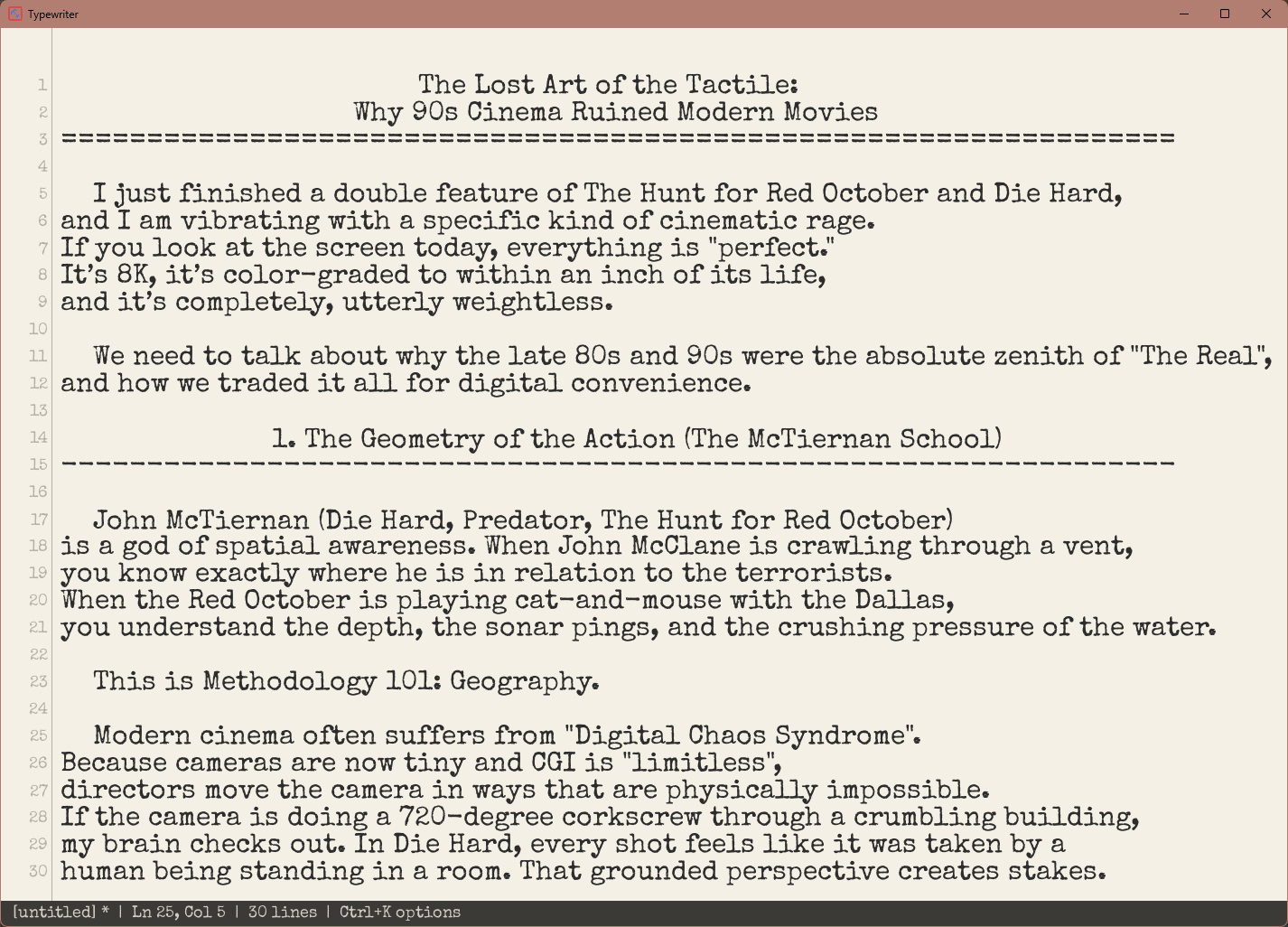
ON SCREEN
----------------------------------------------------------------
BUILD IT YOURSELF
----------------------------------------------------------------
$ pacman -S mingw-w64-x86_64-SDL2 mingw-w64-x86_64-SDL2_ttf
$ mingw32-make
$ mingw32-make STATIC=1 # links SDL2, SDL2_ttf and FreeType in
$ make # macOS and Linux
================================================================
Settings typewriter.ini, beside the exe
Binary self-contained, nothing to install
Formats .txt, .md, .ini
Signing not code-signed
Themes 3, plus paper effects
— end of file —