Nocturnote: A Sleek and Modern Text Editor (Deprecated)
Deprecated: Nocturnote is no longer maintained. Its spiritual successor is Descry , a keyboard-driven markdown editor in C, SDL2 and Lua - grab it from the Descry releases .
Nocturnote: The Text Editor I Always Wanted
Have you ever felt like your text editor is either doing too much or too little? That's exactly how I felt before I started building Nocturnote.
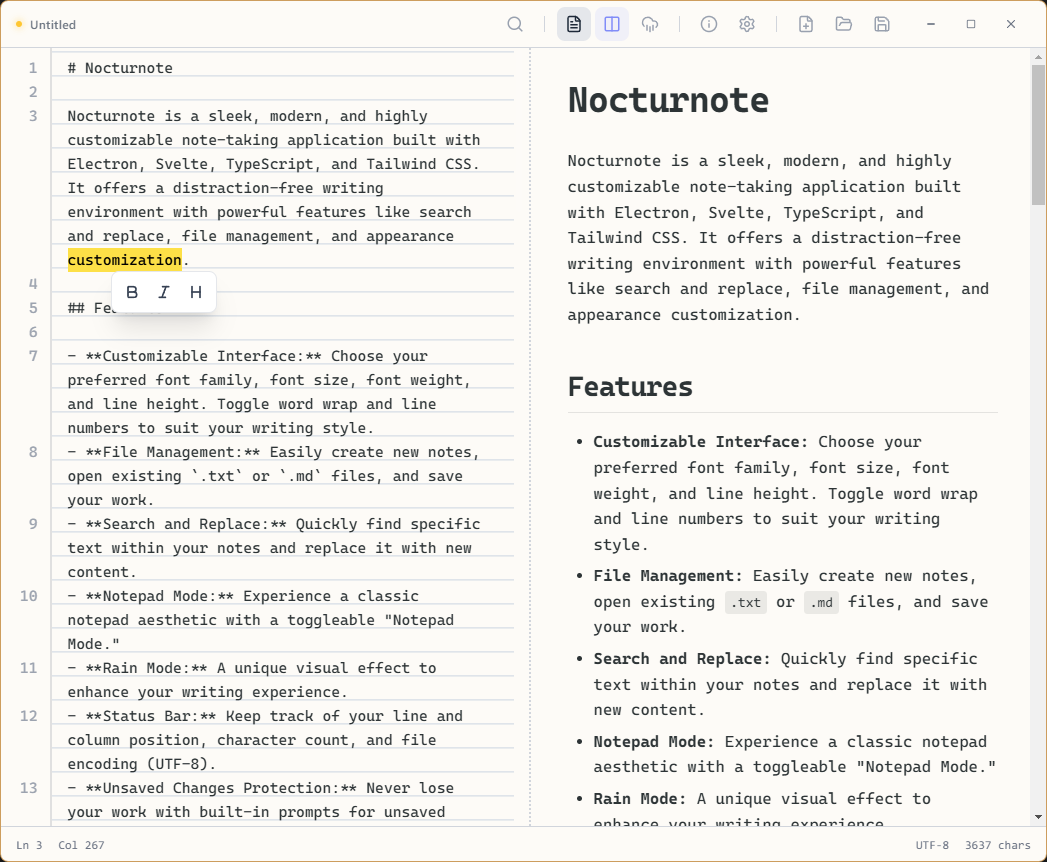
Notepad Mode in Nocturnote
Nocturnote is my take on a modern, distraction-free writing environment. It's a sleek, cross-platform desktop application designed for those who want to just write, but with the comfort of modern tools.
Why Nocturnote?
I wanted something that looked good, felt fast, and offered just the right amount of customization without being overwhelming.
Key Features
- Distraction-Free Interface: Clean lines, subtle colors, and a focus on your text.
- Rain Mode: This is one of my favorites. Toggle it on for a soothing visual effect that adds a cozy atmosphere to your writing sessions.
- Notepad Mode: Sometimes you just want that classic, stripped-back aesthetic. Nocturnote has you covered.
- Full Customization: Change fonts, sizes, line heights, and more. Make it yours.
Under the Hood
For the tech-savvy, Nocturnote is built using a robust modern stack:
- Electron: Ensuring it runs smoothly on Windows, macOS, and Linux.
- Svelte 5: For a blazing fast and reactive user interface.
- TypeScript: Because type safety is non-negotiable.
- Tailwind CSS: For rapid and beautiful styling.
- Electron-Vite: For a lightning-fast development experience.
Get It
Nocturnote is open source! You can check out the code, contribute, or download it from the repository.
Check out Nocturnote on GitHub
Whether you're coding, journaling, or taking quick notes, I hope Nocturnote provides the calm, productive space you need.